







Increase Product Discovery
Showcase Instagram and TikTok content in your store to help shoppers discover products naturally.
 & TikTok
 Content Into Shoppable Feeds on Shopify
Embed your Instagram & TikTok content, tag products, and let shoppers buy directly from the posts they love.
Current read is giving everything 📚☕ Which book should I read next? #booktok #reading
Pot $28OOTD check ✅ Thrifted this whole fit for $30 👗 #fashion #ootd #style
Bag $149No days off 💪 Leg day hits different #fitness #gym #motivation
Matt $45Made this from scratch in 20 mins 😍🍝 Recipe in bio! #foodtok #cooking #recipe
Dessert $8Dokan, WP User Frontend, WP ERP, WP Project Manager Pro, FlyWP, WP Hive and weMail — all by weDevs.
FeedPulse connects your Instagram & TikTok feeds with Shopify products, helping shoppers discover, explore, and buy without leaving your store.
Showcase Instagram and TikTok content in your store to help shoppers discover products naturally.
Tag products to posts and videos so shoppers can buy exactly what they see.
Feature influencer and creator videos to add authentic social proof throughout the buying journey.
Build separate feeds for collections, campaigns, launches, and seasonal promotions.
Hand-pick the posts you want customers to see and keep your storefront on-brand.
Pull in new Instagram and TikTok content without updating your feed manually.
Track views, clicks, product interactions, and add-to-cart activity across your feeds.
Add the feeds to your store through Shopify's theme editor without coding.
Multi-Account Support
Connect and manage Instagram and TikTok accounts from one dashboard.
Let shoppers view products and add items to cart directly from the feed experience.
Install FeedPulse to transform Instagram and TikTok content on your Shopify store.
Connect your Instagram and TikTok accounts, tag products, and publish your feed without touching code.
Create better product visuals and try-on experiences in just a few clicks.
From discovery to checkout, FeedPulse helps shoppers move from inspiration to purchase without leaving your store.
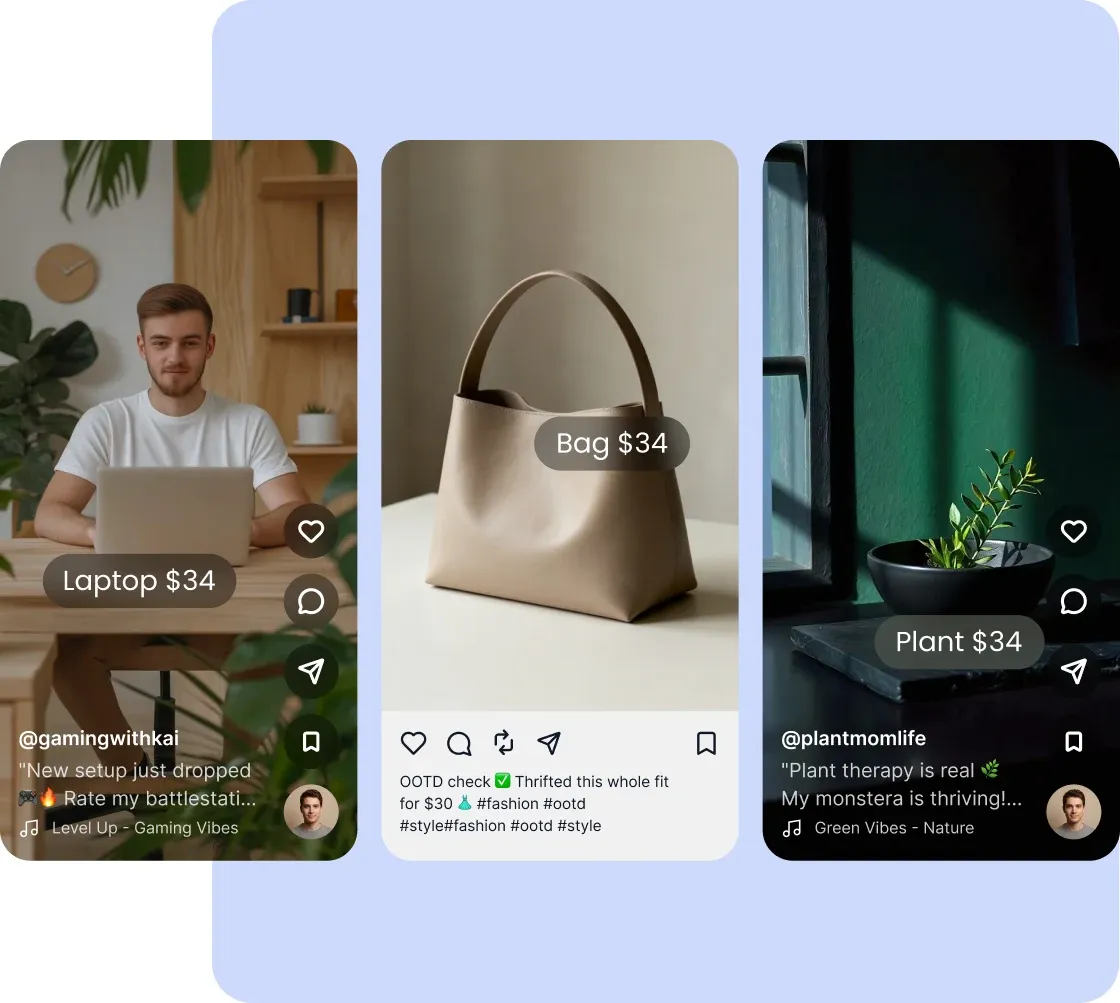
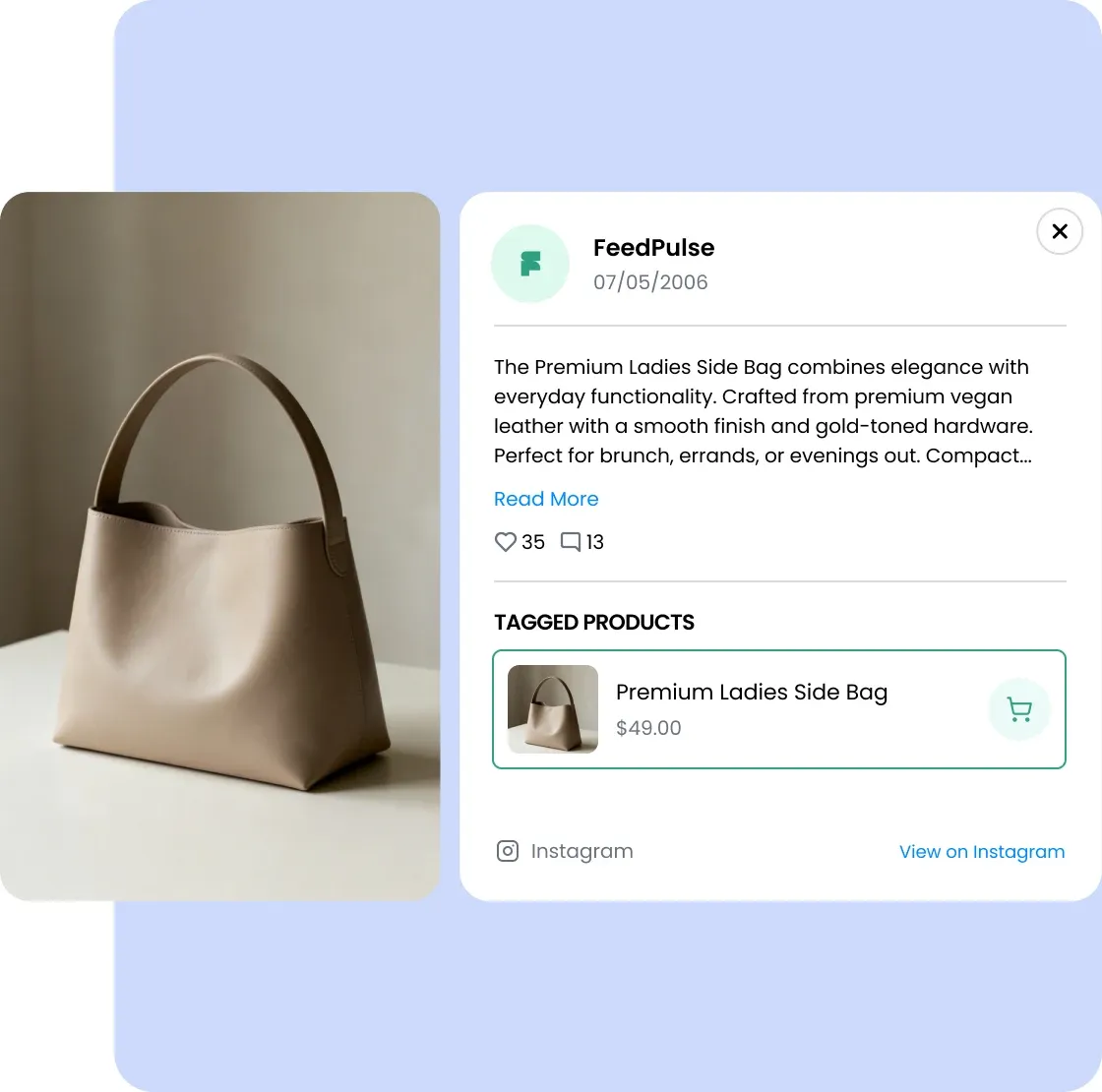
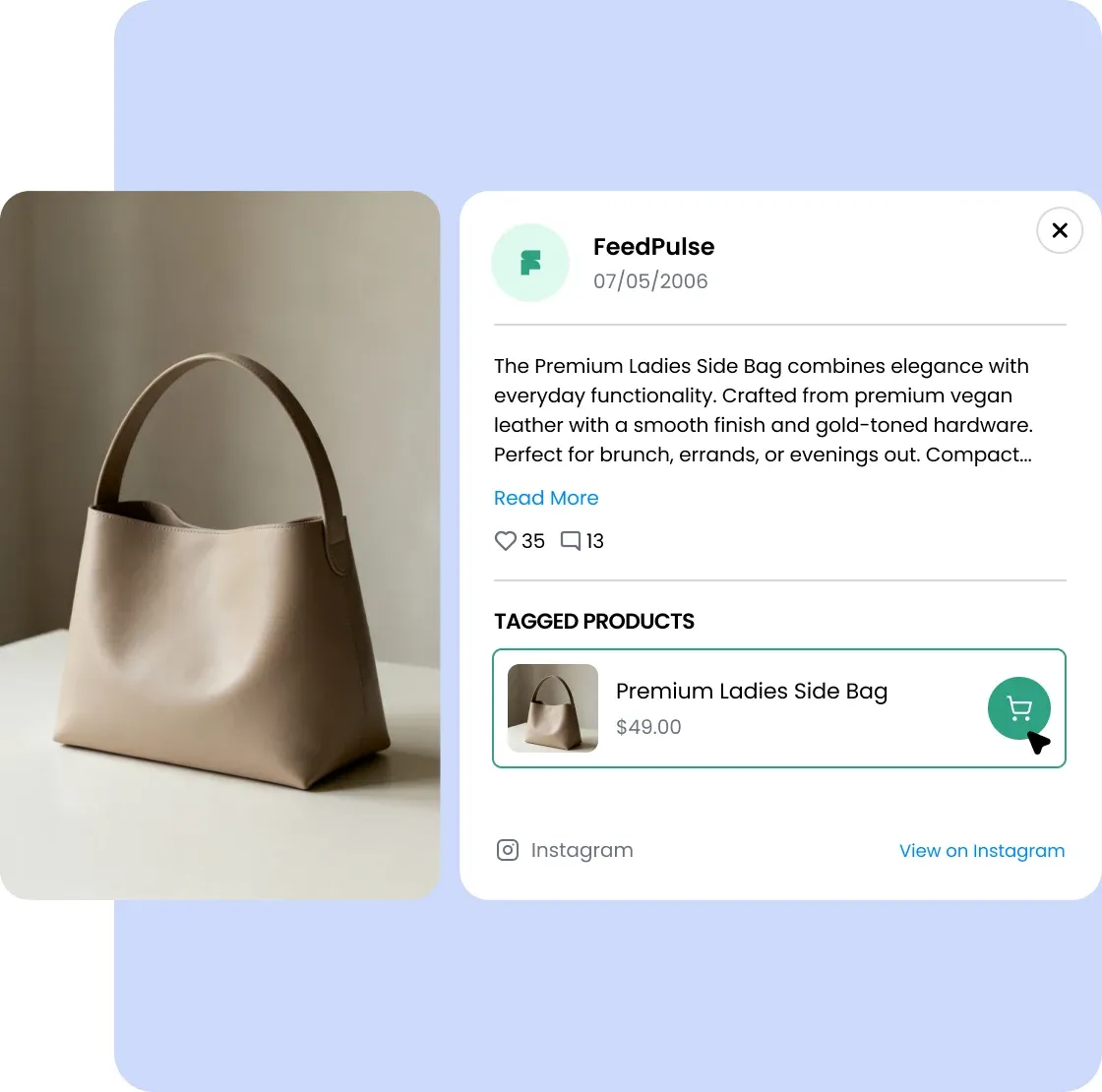
Turn Instagram and TikTok content into a storefront experience that helps shoppers discover, explore, and buy faster.
Bring Instagram and TikTok together in one shoppable feed that keeps shoppers engaged inside your store.
Connect Instagram and TikTok from one dashboard
Create curated feeds for enhanced shopping experience
Manage feeds without switching between separate apps
Tag Shopify products to posts and videos so shoppers can discover, explore, and buy what catches their eye.
Tag multiple Shopify products to every post or video
Let shoppers view products and add them to cart instantly
Turn lookbooks, tutorials, and creator content into sales opportunities
Create dedicated feeds for collections, campaigns, and pages to deliver more relevant shopping experiences.
Build dedicated feeds for launches, collections, and promotions
Show the most relevant content on every page
Keep seasonal and evergreen campaigns organized
Automatically sync new posts or hand-pick the content that best represents your brand and products.
Auto-sync new Instagram and TikTok content
Hand-pick featured posts
Keep storefront content fresh automatically
Launch shoppable social feeds through Shopify's Theme Editor without developers or custom code.
Add feeds anywhere using the Theme Editor
Works with Shopify's native app blocks
No developers or custom code required
Track views, clicks, product interactions, and add-to-cart activity across your feeds.
See which posts drive revenue
Compare feeds and placements
Spot top products by engagement
Find answers to the most commonly asked questions by our users.
Yes. FeedPulse brings your Instagram and TikTok content directly into your Shopify store in one unified experience. Show posts from both platforms in the same feed, or create separate feeds for different campaigns. No need to manage separate tools.
Yes. You have full control. Use auto-sync to show your latest posts automatically, or hand-pick exactly which posts appear. Skip blurry photos, hide off-brand content, and only showcase your best work. Every feed tells the story you want to tell.
Yes. Create unlimited feeds on Pro and Plus. Run one feed per campaign, per collection, per season, or per audience. Different products need different stories — FeedPulse lets you create that experience.
Yes. Tag unlimited products to each Instagram post or TikTok video. Shoppers click the tags they're interested in, see product details, and add to cart instantly. One post can have multiple product tags — tag every item in an outfit, or every product in a tutorial.
No. That's the entire point of FeedPulse. Shoppers see your Instagram or TikTok post, click the tagged product, see the details and price, and check out — all without ever leaving your store. Shoppers are 3x more likely to complete a purchase when they don't have to leave your store to do it.
No. Install FeedPulse from the Shopify App Store, connect your Instagram and TikTok accounts, and add feeds to your store using Shopify's theme editor (drag and drop). Most merchants go live in under 10 minutes. No developers, no custom code, no waiting.
Yes. Place feeds anywhere on your store — homepage, collection pages, product detail pages, or custom pages. Create different feeds for different sections: show customer photos on product pages, seasonal content on collection pages, and your best posts on the homepage.
Two ways. Auto-sync pulls in new posts automatically every 30 minutes, so a post on Instagram or TikTok appears on your store within minutes with zero work. Or curate manually — hand-pick which posts appear and update anytime. You control the pace.
Yes. On Pro and Plus, see exactly which posts drive engagement and revenue. Track impressions, clicks, add-to-cart, and revenue per post. Identify your top-performing content and post more of what sells.
Yes. Choose from grid, carousel, or masonry layouts. Customize colors to match your brand, and adjust spacing and sizing. Each feed can have its own layout — no two feeds need to look the same.
Yes. FeedPulse is a native Shopify app built exclusively for Shopify stores. It integrates directly with your products, inventory, and checkout. It's not a generic embed widget — native integration means faster loads and better data.
Connect your account, tag products, and publish your feed without touching code.



'%3e%3cellipse%20cx='665.741'%20cy='429.936'%20rx='469.319'%20ry='233.514'%20fill='black'/%3e%3c/g%3e%3cdefs%3e%3cfilter%20id='ellipse-dark-filter0_f_0_4'%20x='0'%20y='0'%20width='1331.48'%20height='859.873'%20filterUnits='userSpaceOnUse'%20color-interpolation-filters='sRGB'%3e%3cfeFlood%20flood-opacity='0'%20result='BackgroundImageFix'/%3e%3cfeBlend%20mode='normal'%20in='SourceGraphic'%20in2='BackgroundImageFix'%20result='shape'/%3e%3cfeGaussianBlur%20stdDeviation='98.2113'%20result='effect1_foregroundBlur_0_4'/%3e%3c/filter%3e%3c/defs%3e%3c/svg%3e)